

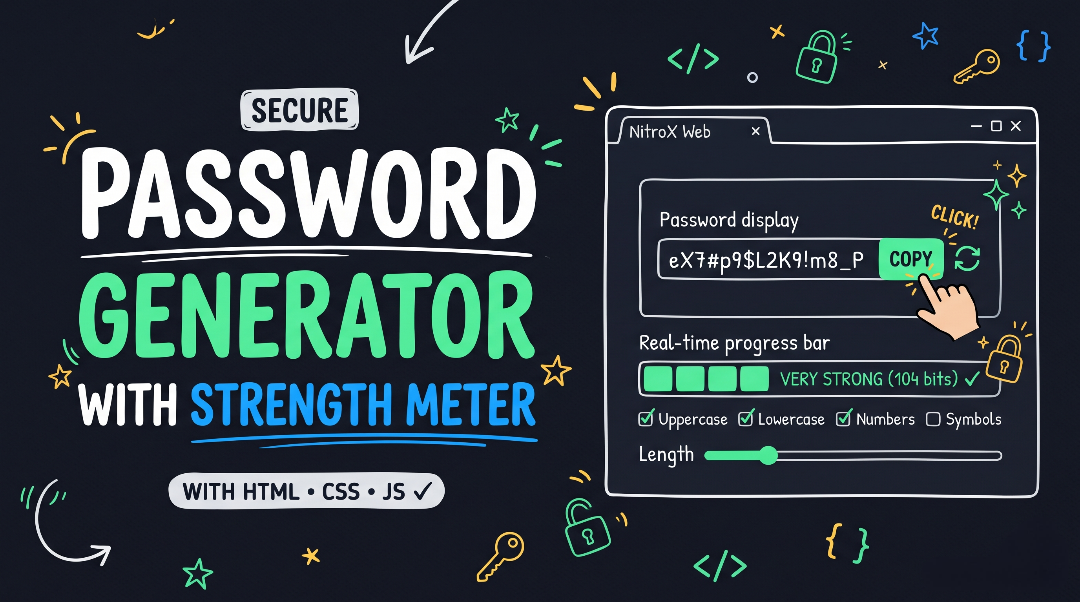
Cryptographic Password Generator & Strength Meter Source Code
Create a project folder with three files: index.html, style.css, and script.js.
1. HTML (index.html)
HTML
<!DOCTYPE html>
<html lang="en">
<head>
  <meta charset="UTF-8">
  <meta name="viewport" content="width=device-width, initial-scale=1.0">
  <title>Secure Password Generator & Strength Meter</title>
  <link rel="stylesheet" href="style.css">
</head>
<body>

  <header class="navbar">
    <div class="logo">NitroX Web</div>
    <span class="badge">Security Utility</span>
  </header>

  <main class="tool-wrapper">
    <section class="generator-card">
      <div class="card-header">
        <h1>Password Generator</h1>
        <p>Generate cryptographically secure passwords or type inside the box to test your own password's entropy.</p>
      </div>

      <!-- Password Display & Actions -->
      <div class="password-box">
        <input
          type="text"
          id="passwordDisplay"
          class="password-input"
          aria-label="Generated Password"
          autocomplete="off"
          spellcheck="false"
        >
        <div class="action-buttons">
          <button id="refreshBtn" class="icon-btn" type="button" title="Generate New Password" aria-label="Generate New Password">
            <svg xmlns="http://www.w3.org/2000/svg" width="20" height="20" viewBox="0 0 24 24" fill="none" stroke="currentColor" stroke-width="2" stroke-linecap="round" stroke-linejoin="round">
              <path d="M21 2v6h-6"></path>
              <path d="M3 12a9 9 0 0 1 15-6.7L21 8"></path>
              <path d="M3 22v-6h6"></path>
              <path d="M21 12a9 9 0 0 1-15 6.7L3 16"></path>
            </svg>
          </button>
          <button id="copyBtn" class="copy-btn" type="button">Copy</button>
        </div>
      </div>

      <!-- Real-Time Strength & Entropy Meter -->
      <div class="strength-panel">
        <div class="strength-header">
          <span>Security Strength: <strong id="strengthText">Strong</strong></span>
          <span id="entropyText" class="entropy-badge">104 bits</span>
        </div>
        <div class="strength-bars" id="strengthBars">
          <span class="bar"></span>
          <span class="bar"></span>
          <span class="bar"></span>
          <span class="bar"></span>
        </div>
      </div>

      <!-- Length Slider -->
      <div class="control-group">
        <div class="slider-header">
          <label for="lengthSlider">Password Length</label>
          <span id="lengthValue" class="length-pill">16</span>
        </div>
        <input type="range" id="lengthSlider" min="6" max="64" value="16">
      </div>

      <!-- Character Set Toggles -->
      <div class="options-grid">
        <label class="option-card">
          <input type="checkbox" id="incUppercase" checked>
          <span>Uppercase (A–Z)</span>
        </label>

        <label class="option-card">
          <input type="checkbox" id="incLowercase" checked>
          <span>Lowercase (a–z)</span>
        </label>

        <label class="option-card">
          <input type="checkbox" id="incNumbers" checked>
          <span>Numbers (0–9)</span>
        </label>

        <label class="option-card">
          <input type="checkbox" id="incSymbols" checked>
          <span>Symbols (!@#$%^&*)</span>
        </label>
      </div>

      <!-- Extra Filter -->
      <div class="extra-option">
        <label class="option-card full-width">
          <input type="checkbox" id="excAmbiguous">
          <span>Exclude Ambiguous Characters (<code>i, l, 1, L, o, 0, O</code>)</span>
        </label>
      </div>

    </section>
  </main>

  <script src="script.js"></script>
</body>
</html>
2. CSS (style.css)
CSS
/* ==========================================================================
   CSS Variables (NitroX Web Dark Theme)
   ========================================================================== */
:root {
  --bg-dark: #090d16;
  --bg-card: #131b2e;
  --bg-input: #05080e;
  --border-color: #1e293b;
  --text-main: #f8fafc;
  --text-muted: #94a3b8;
  --accent-color: #10b981;
  --accent-hover: #059669;
  --weak-color: #ef4444;
  --fair-color: #f59e0b;
  --good-color: #3b82f6;
  --strong-color: #10b981;
  --radius-lg: 16px;
  --radius-md: 10px;
  --transition: 0.2s cubic-bezier(0.4, 0, 0.2, 1);
  --shadow-lg: 0 20px 30px -10px rgba(0, 0, 0, 0.5);
}

* {
  box-sizing: border-box;
  margin: 0;
  padding: 0;
}

body {
  font-family: system-ui, -apple-system, BlinkMacSystemFont, 'Segoe UI', Roboto, sans-serif;
  background-color: var(--bg-dark);
  color: var(--text-main);
  line-height: 1.6;
  min-height: 100vh;
}

/* ==========================================================================
   Navbar
   ========================================================================== */
.navbar {
  display: flex;
  justify-content: space-between;
  align-items: center;
  padding: 1.25rem 2rem;
  border-bottom: 1px solid var(--border-color);
  background: rgba(19, 27, 46, 0.85);
  backdrop-filter: blur(12px);
}

.logo {
  font-weight: 800;
  font-size: 1.25rem;
  letter-spacing: -0.02em;
  color: var(--accent-color);
}

.badge {
  background: rgba(16, 185, 129, 0.12);
  color: var(--accent-color);
  font-size: 0.75rem;
  font-weight: 700;
  text-transform: uppercase;
  letter-spacing: 0.05em;
  padding: 0.35rem 0.85rem;
  border-radius: 999px;
}

/* ==========================================================================
   Main Card & Header
   ========================================================================== */
.tool-wrapper {
  max-width: 580px;
  margin: 3rem auto;
  padding: 0 1.25rem;
}

.generator-card {
  background-color: var(--bg-card);
  border: 1px solid var(--border-color);
  border-radius: var(--radius-lg);
  padding: 2.25rem;
  box-shadow: var(--shadow-lg);
}

.card-header {
  margin-bottom: 1.75rem;
}

.card-header h1 {
  font-size: 1.75rem;
  font-weight: 800;
  letter-spacing: -0.02em;
  margin-bottom: 0.4rem;
}

.card-header p {
  color: var(--text-muted);
  font-size: 0.92rem;
}

/* ==========================================================================
   Password Display Box
   ========================================================================== */
.password-box {
  display: flex;
  align-items: center;
  background-color: var(--bg-input);
  border: 1.5px solid var(--border-color);
  border-radius: var(--radius-md);
  padding: 0.65rem 0.75rem 0.65rem 1rem;
  margin-bottom: 1.25rem;
  transition: border-color var(--transition);
}

.password-box:focus-within {
  border-color: var(--accent-color);
}

.password-input {
  width: 100%;
  background: transparent;
  border: none;
  color: var(--text-main);
  font-family: 'Courier New', Courier, monospace;
  font-size: 1.15rem;
  font-weight: 600;
  letter-spacing: 0.04em;
  outline: none;
}

.action-buttons {
  display: flex;
  align-items: center;
  gap: 0.5rem;
  margin-left: 0.5rem;
}

.icon-btn {
  background: transparent;
  border: none;
  color: var(--text-muted);
  padding: 0.45rem;
  border-radius: 6px;
  cursor: pointer;
  display: flex;
  align-items: center;
  justify-content: center;
  transition: color var(--transition), background-color var(--transition);
}

.icon-btn:hover {
  color: var(--text-main);
  background-color: var(--border-color);
}

.copy-btn {
  background-color: var(--accent-color);
  color: #05080e;
  border: none;
  border-radius: 7px;
  padding: 0.5rem 0.95rem;
  font-size: 0.82rem;
  font-weight: 700;
  cursor: pointer;
  transition: background-color var(--transition);
}

.copy-btn:hover {
  background-color: var(--accent-hover);
}

/* ==========================================================================
   Strength & Entropy Meter
   ========================================================================== */
.strength-panel {
  background-color: var(--bg-input);
  border: 1px solid var(--border-color);
  border-radius: var(--radius-md);
  padding: 1rem;
  margin-bottom: 1.5rem;
}

.strength-header {
  display: flex;
  justify-content: space-between;
  align-items: center;
  font-size: 0.85rem;
  color: var(--text-muted);
  margin-bottom: 0.65rem;
}

.entropy-badge {
  font-family: monospace;
  font-size: 0.78rem;
  background-color: var(--bg-card);
  padding: 0.15rem 0.55rem;
  border-radius: 5px;
  color: var(--text-main);
}

.strength-bars {
  display: grid;
  grid-template-columns: repeat(4, 1fr);
  gap: 0.5rem;
}

.bar {
  height: 7px;
  border-radius: 99px;
  background-color: var(--border-color);
  transition: background-color 0.25s ease;
}

/* ==========================================================================
   Controls & Options
   ========================================================================== */
.control-group {
  margin-bottom: 1.5rem;
}

.slider-header {
  display: flex;
  justify-content: space-between;
  align-items: center;
  margin-bottom: 0.6rem;
}

.slider-header label {
  font-size: 0.9rem;
  font-weight: 600;
}

.length-pill {
  background: rgba(16, 185, 129, 0.15);
  color: var(--accent-color);
  font-weight: 800;
  font-size: 0.85rem;
  padding: 0.15rem 0.65rem;
  border-radius: 6px;
}

input[type="range"] {
  width: 100%;
  accent-color: var(--accent-color);
  height: 6px;
  background: var(--bg-input);
  border-radius: 99px;
  cursor: pointer;
}

.options-grid {
  display: grid;
  grid-template-columns: 1fr 1fr;
  gap: 0.85rem;
  margin-bottom: 0.85rem;
}

.option-card {
  display: flex;
  align-items: center;
  gap: 0.65rem;
  background-color: var(--bg-input);
  border: 1px solid var(--border-color);
  border-radius: var(--radius-md);
  padding: 0.8rem 1rem;
  font-size: 0.88rem;
  font-weight: 500;
  cursor: pointer;
  user-select: none;
  transition: border-color var(--transition);
}

.option-card:hover {
  border-color: #334155;
}

.option-card input[type="checkbox"] {
  width: 17px;
  height: 17px;
  accent-color: var(--accent-color);
  cursor: pointer;
}

.option-card code {
  color: var(--accent-color);
  font-size: 0.82rem;
}

@media (max-width: 520px) {
  .generator-card {
    padding: 1.5rem;
  }
  .options-grid {
    grid-template-columns: 1fr;
  }
}
3. JavaScript (script.js)
JavaScript
document.addEventListener('DOMContentLoaded', () => {
  const passwordDisplay = document.getElementById('passwordDisplay');
  const lengthSlider = document.getElementById('lengthSlider');
  const lengthValue = document.getElementById('lengthValue');
  const refreshBtn = document.getElementById('refreshBtn');
  const copyBtn = document.getElementById('copyBtn');

  const incUppercase = document.getElementById('incUppercase');
  const incLowercase = document.getElementById('incLowercase');
  const incNumbers = document.getElementById('incNumbers');
  const incSymbols = document.getElementById('incSymbols');
  const excAmbiguous = document.getElementById('excAmbiguous');

  const strengthText = document.getElementById('strengthText');
  const entropyText = document.getElementById('entropyText');
  const bars = document.querySelectorAll('#strengthBars .bar');

  const CHAR_SETS = {
    uppercase: 'ABCDEFGHIJKLMNOPQRSTUVWXYZ',
    lowercase: 'abcdefghijklmnopqrstuvwxyz',
    numbers: '0123456789',
    symbols: '!@#$%^&*()_+-=[]{}|;:,.<>?'
  };

  const AMBIGUOUS_CHARS = /[il1Lo0O]/g;

  // 1. Cryptographically Secure Random Integer Generator
  const getSecureRandomInt = (max) => {
    const array = new Uint32Array(1);
    window.crypto.getRandomValues(array);
    return array[0] % max;
  };

  // 2. Prevent Unchecking All Character Sets
  const checkboxes = [incUppercase, incLowercase, incNumbers, incSymbols];
  checkboxes.forEach((box) => {
    box.addEventListener('change', (e) => {
      const activeCount = checkboxes.filter((cb) => cb.checked).length;
      if (activeCount === 0) {
        e.target.checked = true;
        return;
      }
      generatePassword();
    });
  });

  // 3. Calculate Real Password Entropy & Update Meter UI
  const evaluatePasswordStrength = (password) => {
    if (!password) {
      strengthText.textContent = 'Empty';
      strengthText.style.color = '#ef4444';
      entropyText.textContent = '0 bits';
      bars.forEach((bar) => (bar.style.backgroundColor = '#1e293b'));
      return;
    }

    let poolSize = 0;
    if (/[a-z]/.test(password)) poolSize += 26;
    if (/[A-Z]/.test(password)) poolSize += 26;
    if (/[0-9]/.test(password)) poolSize += 10;
    if (/[^a-zA-Z0-9]/.test(password)) poolSize += 32;

    const entropy = Math.round(password.length * Math.log2(poolSize || 1));
    entropyText.textContent = `${entropy} bits`;

    let level = 1;
    let label = 'Weak';
    let color = 'var(--weak-color)';

    if (entropy >= 100) {
      level = 4;
      label = 'Very Strong';
      color = 'var(--strong-color)';
    } else if (entropy >= 70) {
      level = 3;
      label = 'Good';
      color = 'var(--good-color)';
    } else if (entropy >= 45) {
      level = 2;
      label = 'Fair';
      color = 'var(--fair-color)';
    }

    strengthText.textContent = label;
    strengthText.style.color = color;

    bars.forEach((bar, index) => {
      bar.style.backgroundColor = index < level ? color : 'var(--border-color)';
    });
  };

  // 4. Core Password Generation Function
  const generatePassword = () => {
    const length = parseInt(lengthSlider.value, 10);
    lengthValue.textContent = length;

    let selectedPools = [];
    if (incUppercase.checked) selectedPools.push(CHAR_SETS.uppercase);
    if (incLowercase.checked) selectedPools.push(CHAR_SETS.lowercase);
    if (incNumbers.checked) selectedPools.push(CHAR_SETS.numbers);
    if (incSymbols.checked) selectedPools.push(CHAR_SETS.symbols);

    // Filter out ambiguous characters if toggled
    if (excAmbiguous.checked) {
      selectedPools = selectedPools.map((pool) => pool.replace(AMBIGUOUS_CHARS, ''));
    }

    const combinedPool = selectedPools.join('');
    let passwordArray = [];

    // Guarantee at least one character from each enabled set
    selectedPools.forEach((pool) => {
      if (pool.length > 0) {
        passwordArray.push(pool[getSecureRandomInt(pool.length)]);
      }
    });

    // Fill the remaining slots from the combined pool
    for (let i = passwordArray.length; i < length; i++) {
      passwordArray.push(combinedPool[getSecureRandomInt(combinedPool.length)]);
    }

    // Fisher-Yates Cryptographic Shuffle to eliminate predictable starting positions
    for (let i = passwordArray.length - 1; i > 0; i--) {
      const j = getSecureRandomInt(i + 1);
      [passwordArray[i], passwordArray[j]] = [passwordArray[j], passwordArray[i]];
    }

    const finalPassword = passwordArray.join('');
    passwordDisplay.value = finalPassword;
    evaluatePasswordStrength(finalPassword);
  };

  // 5. Event Listeners
  lengthSlider.addEventListener('input', generatePassword);
  excAmbiguous.addEventListener('change', generatePassword);
  refreshBtn.addEventListener('click', generatePassword);

  // Allow users to type/paste custom passwords to test strength live
  passwordDisplay.addEventListener('input', (e) => {
    evaluatePasswordStrength(e.target.value);
  });

  // One-Click Copy to Clipboard
  copyBtn.addEventListener('click', async () => {
    if (!passwordDisplay.value) return;
    try {
      await navigator.clipboard.writeText(passwordDisplay.value);
      const originalLabel = copyBtn.textContent;
      copyBtn.textContent = 'Copied!';
      setTimeout(() => {
        copyBtn.textContent = originalLabel;
      }, 1800);
    } catch (err) {
      passwordDisplay.select();
      document.execCommand('copy');
    }
  });

  // Generate initial password on load
  generatePassword();
});
Building a Cryptographically Secure Password Generator & Entropy Meter in HTML, CSS & JS
Most beginner password generator tutorials rely on JavaScript’s built-in Math.random() function to pick characters from a string. While Math.random() works fine for casual browser games or randomizing UI elements, it is not cryptographically secure. Under the hood, Math.random() uses a pseudo-random number generator (PRNG) seeded by internal browser states that can be predicted or reconstructed if an attacker observes enough outputs.
In this guide, we will explore how to build a truly secure Password Generator and Real-Time Entropy Calculator using the native Web Crypto API, guaranteed character distribution, and the Fisher-Yates shuffling algorithm.
1. Replacing Math.random() with crypto.getRandomValues()
To generate unpredictable credentials directly inside the browser without external libraries, modern browsers expose window.crypto.getRandomValues(). Unlike Math.random(), the Web Crypto API pulls randomness directly from the operating system’s cryptographic entropy source (such as hardware noise and kernel timing jitter).
Here is how our helper function extracts a secure index:
JavaScript
const getSecureRandomInt = (max) => {
  const array = new Uint32Array(1);
  window.crypto.getRandomValues(array);
  return array[0] % max;
};
By creating a single-element Uint32Array and passing it into window.crypto.getRandomValues(), the browser populates array[0] with a cryptographically random 32-bit unsigned integer, which we then map to our character pool length.
2. Solving the “Missing Character Type” Problem
A common flaw in basic password generators happens when a user checks Uppercase, Lowercase, Numbers, and Symbols, but the random loop happens to pick zero numbers or zero symbols on a short 8-character password. When the user tries to paste that password into a strict registration form, it gets rejected.
To prevent this without weakening security, our generator follows a two-step assembly process:
- Guaranteed Sampling: It first selects exactly one random character from each checked category (
uppercase,lowercase,numbers,symbols). - Fisher-Yates Shuffle: If we left those guaranteed characters in their initial indices (
0, 1, 2, 3), an attacker would know that every generated password starts with an uppercase letter followed by a lowercase letter, a digit, and a symbol. Running the array through the Fisher-Yates shuffle redistributes every character uniformly across the entire string length.
JavaScript
for (let i = passwordArray.length - 1; i > 0; i--) {
  const j = getSecureRandomInt(i + 1);
  [passwordArray[i], passwordArray[j]] = [passwordArray[j], passwordArray[i]];
}
3. How the Real-Time Entropy Meter Works
Rather than guessing password strength purely by character length, security analysts measure password resilience using Information Entropy (expressed in bits). Entropy measures how many brute-force guesses an attacker would need to crack a credential.
The mathematical formula for password entropy is:
$$E = L \times \log_2(R)$$
Where:
- $E$ is the total entropy in bits.
- $L$ is the total length of the password.
- $R$ is the size of the character pool (radix) used in the password:
- Lowercase letters (
a–z): $26$ - Uppercase letters (
A–Z): $26$ - Digits (
0–9): $10$ - Common symbols: $32$
- Lowercase letters (
When all four sets are present ($R = 94$) in a 16-character password ($L = 16$), the entropy is $16 \times \log_2(94) \approx 105\text{ bits}$. Every single additional bit of entropy doubles the number of guesses required by a brute-force attack, making anything above $80\text{ bits}$ computationally infeasible to crack with standard hardware.
4. UX Safeguards Built Into This Tool
- Last-Checkbox Lock: If a user unchecks every single character set box, a naive script will output
undefinedor freeze in an infinite loop. Our event listener counts active checkboxes and automatically blocks the user from unchecking the last remaining option. - Ambiguous Character Filter: When users have to type a password manually onto a smart TV or mobile phone, characters like
1(one),l(lowercase L),I(uppercase i),0(zero), andO(uppercase O) look nearly identical in many fonts. Enabling the Exclude Ambiguous Characters toggle strips these lookalikes out of the character pools before generation. - Editable Live Testing: Because the password display uses an
<input type="text">hooked to aninputevent listener, visitors can also type or paste their own passwords into the box to inspect their bit entropy in real time.