

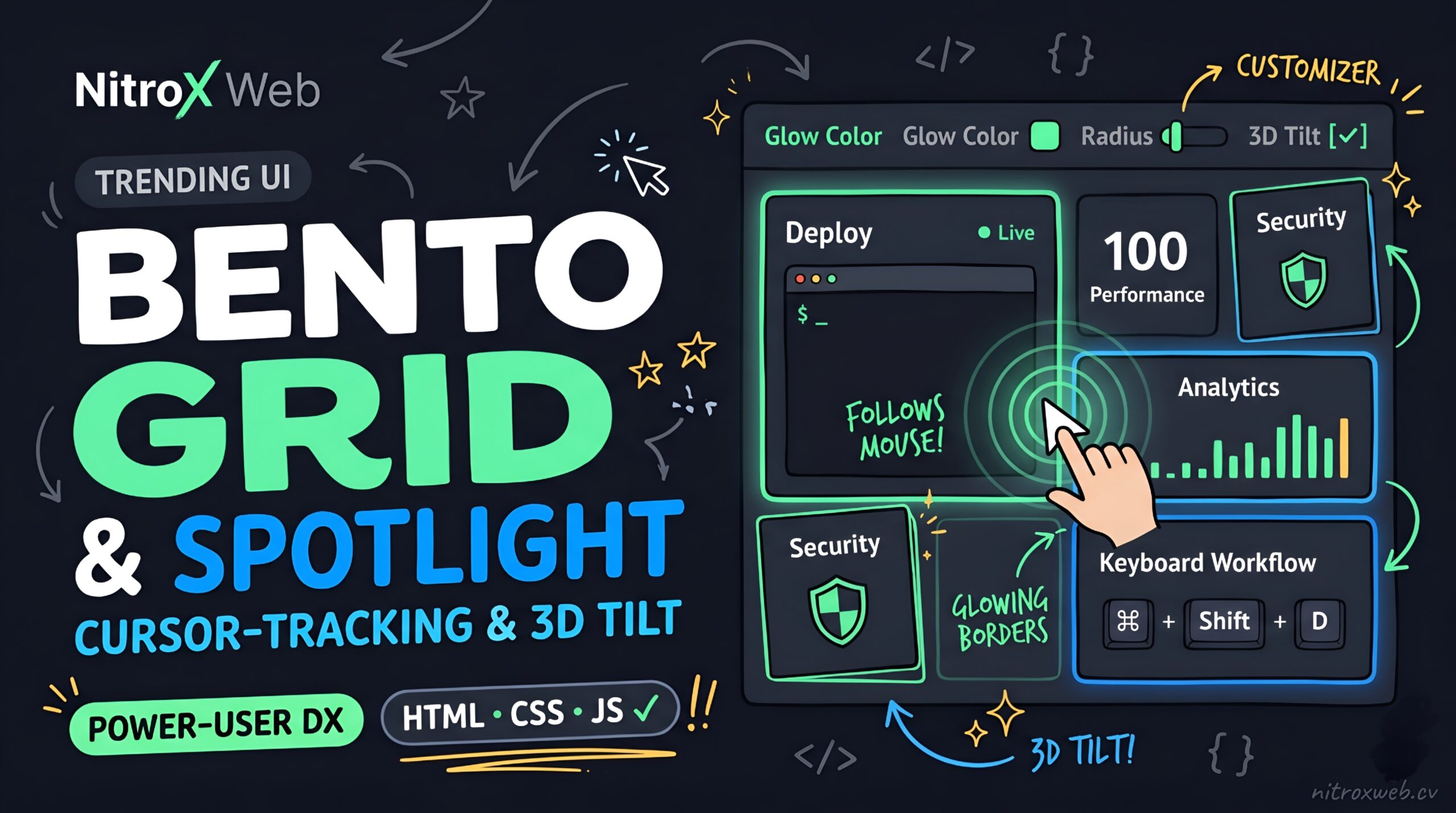
Interactive Bento Grid with Cursor-Tracking Spotlight & 3D Tilt Source Code
Inspired by modern developer landing pages from Apple, Linear, and Vercel, the Interactive Bento Grid with Cursor-Tracking Spotlight Borders is one of the hottest frontend UI trends on the web. This project combines an asymmetrical CSS Grid layout with a hardware-accelerated mouse-tracking radial border glow, optional 3D perspective tilt, and a live toolbar so visitors can customize the spotlight effect in real time.
Create a project folder with three files: index.html, style.css, and script.js.
1. HTML (index.html)
<!DOCTYPE html>
<html lang="en">
<head>
<meta charset="UTF-8">
<meta name="viewport" content="width=device-width, initial-scale=1.0">
<title>Interactive Bento Grid with Cursor Spotlight & 3D Tilt</title>
<link rel="stylesheet" href="style.css">
</head>
<body>
<!-- Top Navigation & Live Spotlight Customizer -->
<header class="navbar">
<div class="logo">NitroX Web</div>
<div class="control-bar">
<label class="control-item">
<span>Glow Color</span>
<input type="color" id="glowColorPicker" value="#10b981">
</label>
<label class="control-item">
<span>Radius</span>
<input type="range" id="glowRadiusSlider" min="200" max="700" value="420">
</label>
<label class="control-item checkbox-pill">
<input type="checkbox" id="tiltToggle" checked>
<span>3D Tilt</span>
</label>
</div>
</header>
<main class="bento-wrapper">
<section class="bento-intro">
<span class="badge">Trending UI Architecture</span>
<h1>Cursor-Aware Bento Grid Showcase</h1>
<p>Move your cursor across the grid to illuminate adjacent card borders simultaneously. Built with CSS Grid spans, radial-gradient masks, and 60fps <code>requestAnimationFrame</code> tracking.</p>
</section>
<!-- Bento Grid Container -->
<section id="bentoGrid" class="bento-grid">
<!-- Card 1: Wide Hero Feature (Spans 2 Columns, 2 Rows) -->
<article class="bento-card span-col-2 span-row-2">
<div class="card-content">
<div class="card-top">
<span class="card-tag">Edge Compute Engine</span>
<span class="live-dot" title="System Online"></span>
</div>
<h2>Zero-Latency Global Deployment</h2>
<p>Push your repository and deploy static assets and serverless functions across 300+ edge locations in under 800 milliseconds.</p>
<!-- Interactive Terminal Graphic inside Card -->
<div class="mini-terminal">
<div class="term-header">
<span></span><span></span><span></span>
<code>nitrox-cli — deploy</code>
</div>
<div class="term-body">
<p><span class="prompt">$</span> nitrox deploy --prod</p>
<p class="muted">✔ Compiling production bundles (42ms)</p>
<p class="muted">✔ Optimizing static assets & edge routes</p>
<p class="success">★ Live at https://app.nitroxweb.cv</p>
</div>
</div>
</div>
</article>
<!-- Card 2: Live Metric Counter (1 Col, 1 Row) -->
<article class="bento-card">
<div class="card-content">
<span class="card-tag">Performance</span>
<div class="metric-display">
<span id="scoreCounter" class="big-metric">100</span>
<span class="metric-unit">/ 100</span>
</div>
<h3>Core Web Vitals</h3>
<p>Zero external runtime dependencies for instant First Contentful Paint.</p>
</div>
</article>
<!-- Card 3: Security Shield (1 Col, 1 Row) -->
<article class="bento-card">
<div class="card-content">
<div class="icon-box">
<svg xmlns="http://www.w3.org/2000/svg" width="22" height="22" viewBox="0 0 24 24" fill="none" stroke="currentColor" stroke-width="2" stroke-linecap="round" stroke-linejoin="round">
<path d="M12 22s8-4 8-10V5l-8-3-8 3v7c0 6 8 10 8 10z"></path>
</svg>
</div>
<h3>End-to-End AES-256</h3>
<p>Automated TLS 1.3 provisioning and hardware-isolated key vaults out of the box.</p>
</div>
</article>
<!-- Card 4: Wide Analytics Graph (Spans 2 Columns, 1 Row) -->
<article class="bento-card span-col-2">
<div class="card-content">
<div class="card-top">
<span class="card-tag">Real-Time Telemetry</span>
<span class="stat-pill">+284% Throughput</span>
</div>
<h3>Sub-Millisecond Request Routing</h3>
<p>Inspect live edge traffic spikes with zero sampling loss.</p>
<!-- Pure CSS Sparkline Bars -->
<div class="sparkline-bars" aria-hidden="true">
<span style="height: 35%"></span>
<span style="height: 50%"></span>
<span style="height: 42%"></span>
<span style="height: 68%"></span>
<span style="height: 58%"></span>
<span style="height: 82%"></span>
<span style="height: 74%"></span>
<span style="height: 95%" class="peak"></span>
<span style="height: 88%"></span>
<span style="height: 100%" class="peak"></span>
</div>
</div>
</article>
<!-- Card 5: Keyboard-First Workflow (Spans 2 Columns, 1 Row) -->
<article class="bento-card span-col-2">
<div class="card-content row-split">
<div>
<span class="card-tag">Developer DX</span>
<h3>Built for Keyboard Speed</h3>
<p>Trigger deployments, inspect logs, or roll back releases instantly with native hotkeys.</p>
</div>
<div class="keycap-cluster" aria-hidden="true">
<kbd>⌘</kbd>
<span>+</span>
<kbd>Shift</kbd>
<span>+</span>
<kbd class="accent-key">D</kbd>
</div>
</div>
</article>
<!-- Card 6: Instant Rollbacks (Spans 2 Columns, 1 Row) -->
<article class="bento-card span-col-2">
<div class="card-content row-split">
<div>
<span class="card-tag">Immutable Snapshots</span>
<h3>One-Click Atomic Rollbacks</h3>
<p>Revert any broken production release to a verified previous state without rebuilding.</p>
</div>
<button id="simulateRollbackBtn" class="action-pill-btn" type="button">
Test Rollback ↺
</button>
</div>
</article>
</section>
</main>
<script src="script.js"></script>
</body>
</html>
2. CSS (style.css)
/* ==========================================================================
   CSS Variables & Dynamic Spotlight Tokens
   ========================================================================== */
:root {
  --bg-page: #060911;
  --bg-card-inner: #0d1322;
  --border-base: rgba(255, 255, 255, 0.08);
  --text-main: #f8fafc;
  --text-muted: #94a3b8;
  --glow-rgb: 16, 185, 129; /* Emerald Mint Default */
  --glow-hex: #10b981;
  --spotlight-radius: 420px;
  --card-radius: 18px;
}

* {
  box-sizing: border-box;
  margin: 0;
  padding: 0;
}

body {
  font-family: system-ui, -apple-system, BlinkMacSystemFont, 'Segoe UI', Roboto, sans-serif;
  background-color: var(--bg-page);
  color: var(--text-main);
  line-height: 1.6;
  min-height: 100vh;
  padding-bottom: 4rem;
}

/* ==========================================================================
   Top Navigation & Customizer Toolbar
   ========================================================================== */
.navbar {
  display: flex;
  justify-content: space-between;
  align-items: center;
  padding: 1rem 2rem;
  border-bottom: 1px solid var(--border-base);
  background: rgba(13, 19, 34, 0.85);
  backdrop-filter: blur(12px);
  position: sticky;
  top: 0;
  z-index: 100;
  flex-wrap: wrap;
  gap: 1rem;
}

.logo {
  font-weight: 800;
  font-size: 1.25rem;
  letter-spacing: -0.02em;
  color: var(--glow-hex);
}

.control-bar {
  display: flex;
  align-items: center;
  gap: 1.25rem;
  flex-wrap: wrap;
}

.control-item {
  display: inline-flex;
  align-items: center;
  gap: 0.5rem;
  font-size: 0.8rem;
  font-weight: 600;
  color: var(--text-muted);
  cursor: pointer;
}

input[type="color"] {
  -webkit-appearance: none;
  border: none;
  width: 24px;
  height: 24px;
  border-radius: 50%;
  cursor: pointer;
  background: transparent;
}

input[type="color"]::-webkit-color-swatch {
  border-radius: 50%;
  border: 1px solid rgba(255, 255, 255, 0.3);
}

input[type="range"] {
  width: 90px;
  accent-color: var(--glow-hex);
  cursor: pointer;
}

.checkbox-pill {
  background: rgba(255, 255, 255, 0.05);
  border: 1px solid var(--border-base);
  padding: 0.3rem 0.7rem;
  border-radius: 999px;
}

.checkbox-pill input {
  accent-color: var(--glow-hex);
}

/* ==========================================================================
   Header Intro
   ========================================================================== */
.bento-wrapper {
  max-width: 1140px;
  margin: 2.75rem auto;
  padding: 0 1.5rem;
}

.bento-intro {
  text-align: center;
  margin-bottom: 2.75rem;
}

.badge {
  display: inline-block;
  background: rgba(var(--glow-rgb), 0.12);
  color: var(--glow-hex);
  font-size: 0.75rem;
  font-weight: 700;
  text-transform: uppercase;
  letter-spacing: 0.06em;
  padding: 0.3rem 0.85rem;
  border-radius: 999px;
  margin-bottom: 0.85rem;
}

.bento-intro h1 {
  font-size: 2.3rem;
  font-weight: 850;
  letter-spacing: -0.03em;
  margin-bottom: 0.6rem;
}

.bento-intro p {
  color: var(--text-muted);
  max-width: 680px;
  margin: 0 auto;
  font-size: 0.98rem;
}

.bento-intro code {
  color: var(--glow-hex);
  background: rgba(255, 255, 255, 0.05);
  padding: 0.1rem 0.4rem;
  border-radius: 5px;
}

/* ==========================================================================
   Bento Grid & Dual-Layer Radial Spotlight Architecture
   ========================================================================== */
.bento-grid {
  display: grid;
  grid-template-columns: repeat(4, 1fr);
  grid-auto-rows: minmax(210px, auto);
  gap: 1.15rem;
}

.bento-card {
  position: relative;
  background-color: var(--border-base);
  border-radius: var(--card-radius);
  padding: 1px; /* 1px gap reveals the glowing ::before border layer */
  overflow: hidden;
  transition: transform 0.18s ease-out;
  transform-style: preserve-3d;
  will-change: transform;
}

/* Grid Span Modifiers */
.span-col-2 {
  grid-column: span 2;
}

.span-row-2 {
  grid-row: span 2;
}

/* Layer 1 (::before): High-Intensity Border Spotlight (Revealed through 1px padding) */
.bento-card::before {
  content: "";
  position: absolute;
  inset: 0;
  border-radius: inherit;
  background: radial-gradient(
    var(--spotlight-radius) circle at var(--mouse-x, -500px) var(--mouse-y, -500px),
    rgba(var(--glow-rgb), 0.75),
    transparent 45%
  );
  opacity: 0;
  transition: opacity 0.35s ease;
  z-index: 1;
  pointer-events: none;
}

/* Layer 2 (::after): Soft Ambient Surface Glow Across Card Interior */
.bento-card::after {
  content: "";
  position: absolute;
  inset: 1px;
  border-radius: calc(var(--card-radius) - 1px);
  background: radial-gradient(
    calc(var(--spotlight-radius) * 1.1) circle at var(--mouse-x, -500px) var(--mouse-y, -500px),
    rgba(var(--glow-rgb), 0.11),
    transparent 50%
  );
  opacity: 0;
  transition: opacity 0.35s ease;
  z-index: 2;
  pointer-events: none;
}

/* Activate border glow on all cards when cursor enters the grid */
.bento-grid:hover .bento-card::before,
.bento-card:hover::after {
  opacity: 1;
}

/* Inner Card Surface */
.card-content {
  position: relative;
  z-index: 3;
  height: 100%;
  background-color: var(--bg-card-inner);
  border-radius: calc(var(--card-radius) - 1px);
  padding: 1.65rem;
  display: flex;
  flex-direction: column;
  justify-content: space-between;
  gap: 0.75rem;
}

/* ==========================================================================
   Interior Card Typography & Micro-Components
   ========================================================================== */
.card-top {
  display: flex;
  justify-content: space-between;
  align-items: center;
}

.card-tag {
  font-size: 0.72rem;
  font-weight: 800;
  text-transform: uppercase;
  letter-spacing: 0.06em;
  color: var(--glow-hex);
}

.live-dot {
  width: 9px;
  height: 9px;
  border-radius: 50%;
  background-color: var(--glow-hex);
  box-shadow: 0 0 10px var(--glow-hex);
}

.bento-card h2 {
  font-size: 1.5rem;
  font-weight: 800;
  letter-spacing: -0.02em;
}

.bento-card h3 {
  font-size: 1.15rem;
  font-weight: 750;
  letter-spacing: -0.01em;
}

.bento-card p {
  font-size: 0.88rem;
  color: var(--text-muted);
}

/* Mini Terminal Component */
.mini-terminal {
  margin-top: 0.75rem;
  background-color: #060911;
  border: 1px solid var(--border-base);
  border-radius: 12px;
  overflow: hidden;
  font-family: ui-monospace, SFMono-Regular, Menlo, Consolas, monospace;
  font-size: 0.8rem;
}

.term-header {
  display: flex;
  align-items: center;
  gap: 6px;
  padding: 0.55rem 0.85rem;
  background-color: rgba(255, 255, 255, 0.03);
  border-bottom: 1px solid var(--border-base);
}

.term-header span {
  width: 9px;
  height: 9px;
  border-radius: 50%;
  background-color: #334155;
}

.term-header code {
  margin-left: 0.5rem;
  color: var(--text-muted);
  font-size: 0.74rem;
}

.term-body {
  padding: 0.9rem 1rem;
  display: flex;
  flex-direction: column;
  gap: 0.35rem;
}

.term-body .prompt { color: var(--glow-hex); font-weight: 700; }
.term-body .muted { color: #64748b; }
.term-body .success { color: var(--glow-hex); font-weight: 600; }

/* Metric Counter Display */
.metric-display {
  display: flex;
  align-items: baseline;
  gap: 0.35rem;
  margin: 0.25rem 0;
}

.big-metric {
  font-size: 2.75rem;
  font-weight: 900;
  line-height: 1;
  color: var(--text-main);
}

.metric-unit {
  font-size: 0.9rem;
  font-weight: 700;
  color: var(--glow-hex);
}

/* Icon Box */
.icon-box {
  width: 42px;
  height: 42px;
  border-radius: 10px;
  background: rgba(var(--glow-rgb), 0.12);
  color: var(--glow-hex);
  display: flex;
  align-items: center;
  justify-content: center;
}

/* Sparkline Bar Chart */
.stat-pill {
  font-size: 0.72rem;
  font-weight: 700;
  background: rgba(var(--glow-rgb), 0.14);
  color: var(--glow-hex);
  padding: 0.2rem 0.55rem;
  border-radius: 6px;
}

.sparkline-bars {
  display: flex;
  align-items: flex-end;
  gap: 0.45rem;
  height: 54px;
  margin-top: 0.5rem;
}

.sparkline-bars span {
  flex: 1;
  background: rgba(255, 255, 255, 0.1);
  border-radius: 4px 4px 0 0;
  transition: height 0.3s ease, background-color 0.25s ease;
}

.sparkline-bars span.peak,
.bento-card:hover .sparkline-bars span {
  background: rgba(var(--glow-rgb), 0.65);
}

/* Split Row & Keycaps */
.row-split {
  flex-direction: row;
  align-items: center;
  justify-content: space-between;
  gap: 1.25rem;
}

.keycap-cluster {
  display: flex;
  align-items: center;
  gap: 0.35rem;
  flex-shrink: 0;
}

.keycap-cluster kbd {
  background-color: #060911;
  border: 1px solid var(--border-base);
  border-bottom-width: 3px;
  border-radius: 7px;
  padding: 0.4rem 0.65rem;
  font-family: monospace;
  font-size: 0.82rem;
  font-weight: 700;
}

.keycap-cluster kbd.accent-key {
  border-color: var(--glow-hex);
  color: var(--glow-hex);
}

.action-pill-btn {
  background-color: rgba(var(--glow-rgb), 0.14);
  color: var(--glow-hex);
  border: 1px solid rgba(var(--glow-rgb), 0.4);
  border-radius: 10px;
  padding: 0.65rem 1rem;
  font-size: 0.82rem;
  font-weight: 700;
  cursor: pointer;
  flex-shrink: 0;
  transition: all 0.2s ease;
}

.action-pill-btn:hover {
  background-color: var(--glow-hex);
  color: #05080e;
}

/* ==========================================================================
   Responsive Breakpoints
   ========================================================================== */
@media (max-width: 960px) {
  .bento-grid {
    grid-template-columns: repeat(2, 1fr);
  }
}

@media (max-width: 600px) {
  .bento-grid {
    grid-template-columns: 1fr;
  }
  .span-col-2,
  .span-row-2 {
    grid-column: span 1;
    grid-row: span 1;
  }
  .row-split {
    flex-direction: column;
    align-items: flex-start;
  }
}
3. JavaScript (script.js)
document.addEventListener('DOMContentLoaded', () => {
  const bentoGrid = document.getElementById('bentoGrid');
  const cards = document.querySelectorAll('.bento-card');
  const glowColorPicker = document.getElementById('glowColorPicker');
  const glowRadiusSlider = document.getElementById('glowRadiusSlider');
  const tiltToggle = document.getElementById('tiltToggle');
  const simulateRollbackBtn = document.getElementById('simulateRollbackBtn');

  // 1. High-Performance Cursor-Tracking Spotlight via requestAnimationFrame
  let rafId = null;

  bentoGrid.addEventListener('mousemove', (e) => {
    if (rafId) cancelAnimationFrame(rafId);

    rafId = requestAnimationFrame(() => {
      cards.forEach((card) => {
        const rect = card.getBoundingClientRect();
        const x = e.clientX - rect.left;
        const y = e.clientY - rect.top;

        // Pass relative pixel coordinates into CSS Custom Properties
        card.style.setProperty('--mouse-x', `${x}px`);
        card.style.setProperty('--mouse-y', `${y}px`);
      });
    });
  });

  // 2. Optional 3D Perspective Tilt on Individual Card Hover
  cards.forEach((card) => {
    card.addEventListener('mousemove', (e) => {
      if (!tiltToggle.checked) return;

      const rect = card.getBoundingClientRect();
      const centerX = rect.width / 2;
      const centerY = rect.height / 2;
      const mouseX = e.clientX - rect.left;
      const mouseY = e.clientY - rect.top;

      // Subtle max tilt of 3.5 degrees so text stays sharp
      const rotateX = ((mouseY - centerY) / centerY) * -3.5;
      const rotateY = ((mouseX - centerX) / centerX) * 3.5;

      card.style.transform = `perspective(900px) rotateX(${rotateX.toFixed(2)}deg) rotateY(${rotateY.toFixed(2)}deg)`;
    });

    card.addEventListener('mouseleave', () => {
      card.style.transform = 'perspective(900px) rotateX(0deg) rotateY(0deg)';
    });
  });

  // 3. Convert Hex Color Picker to RGB Triplet for CSS Alpha Gradients
  const hexToRgbString = (hex) => {
    const clean = hex.replace('#', '');
    const r = parseInt(clean.substring(0, 2), 16);
    const g = parseInt(clean.substring(2, 4), 16);
    const b = parseInt(clean.substring(4, 6), 16);
    return `${r}, ${g}, ${b}`;
  };

  glowColorPicker.addEventListener('input', (e) => {
    const hex = e.target.value;
    document.documentElement.style.setProperty('--glow-hex', hex);
    document.documentElement.style.setProperty('--glow-rgb', hexToRgbString(hex));
  });

  glowRadiusSlider.addEventListener('input', (e) => {
    document.documentElement.style.setProperty('--spotlight-radius', `${e.target.value}px`);
  });

  // 4. Interactive Rollback Demo Button
  if (simulateRollbackBtn) {
    simulateRollbackBtn.addEventListener('click', () => {
      simulateRollbackBtn.textContent = 'Rolled back to v2.4.1 ✔';
      setTimeout(() => {
        simulateRollbackBtn.textContent = 'Test Rollback ↺';
      }, 2000);
    });
  }
});
How to Build an Interactive Bento Grid with Cursor-Tracking Spotlight Borders in HTML, CSS & JS
Walk through the landing pages of modern tech companies like Apple, Linear, Vercel, or Raycast, and you will immediately spot two defining design trends working in harmony: Bento Grid layouts and Cursor-Tracking Spotlight Borders. Instead of stacking uniform feature rows on top of each other, a Bento Grid organizes product highlights into an asymmetrical, modular mosaic—while a subtle radial light source follows the user’s cursor, illuminating the borders of nearby cards even before the cursor touches them.
In this tutorial, we will break down the exact CSS Grid geometry, dual-layer pseudo-element masking, and requestAnimationFrame coordinate math required to build a 60fps Cursor-Aware Bento Grid without external libraries.
1. Designing an Asymmetrical Bento Matrix with CSS Grid
A classic Bento layout relies on a base 4-column grid where individual feature cards can span either 1 or 2 columns horizontally and 1 or 2 rows vertically:
.bento-grid {
  display: grid;
  grid-template-columns: repeat(4, 1fr);
  grid-auto-rows: minmax(210px, auto);
  gap: 1.15rem;
}

.span-col-2 { grid-column: span 2; }
.span-row-2 { grid-row: span 2; }
Using grid-auto-rows: minmax(210px, auto) guarantees that single-row cards maintain a clean minimum height while expanding gracefully if you add more copy or interactive UI widgets inside them. On tablets (<= 960px), reducing grid-template-columns to repeat(2, 1fr) reflows the entire mosaic automatically, and on mobile phones (<= 600px), resetting .span-col-2 to span 1 stacks every card into a single vertical column.
2. The Secret Behind Glowing Borders: 1px Padding + Dual Pseudo-Elements
Standard CSS border-color cannot render a radial gradient that tracks your mouse coordinates smoothly across multiple adjacent boxes. To achieve the signature Linear/Vercel spotlight border effect, our architecture uses a clever three-layer sandwich inside each .bento-card:
- The Outer Card (
.bento-card): Haspadding: 1pxand a subtle translucent background (rgba(255, 255, 255, 0.08)), which acts as the default unlit border. - The Border Spotlight (
.bento-card::before): Sits atz-index: 1coveringinset: 0with a high-intensityradial-gradientcentered atvar(--mouse-x) var(--mouse-y). - The Inner Surface (
.card-content): Sits atz-index: 3with a solid dark background (#0d1322). Because.bento-cardhas1pxof padding,.card-contentcovers 99.9% of the::beforegradient, leaving only a razor-sharp 1-pixel perimeter ring visible around the edges!
Meanwhile, .bento-card::after sits at z-index: 2 with a much softer 0.11 alpha opacity to cast a gentle ambient glow across the face of whichever card the cursor is currently hovering over.
3. Synchronizing Adjacent Cards with requestAnimationFrame
Why do neighboring cards light up their closest edge even when your cursor is hovering over a different card?
Instead of attaching separate mousemove listeners to individual cards, we attach a single listener to the parent #bentoGrid container. Whenever the mouse moves inside the grid, we calculate the cursor’s position relative to every card’s top-left corner using getBoundingClientRect():
cards.forEach((card) => {
  const rect = card.getBoundingClientRect();
  const x = e.clientX - rect.left;
  const y = e.clientY - rect.top;

  card.style.setProperty('--mouse-x', `${x}px`);
  card.style.setProperty('--mouse-y', `${y}px`);
});
Even if the cursor is 60px to the left of Card #2, Card #2 receives --mouse-x: -60px. Because our radial gradient has a 420px radius, the outer edge of that circle reaches across the gap and illuminates Card #2’s left border seamlessly. Wrapping this loop inside requestAnimationFrame() ensures the DOM updates at most once per monitor refresh cycle, keeping CPU usage near zero.