

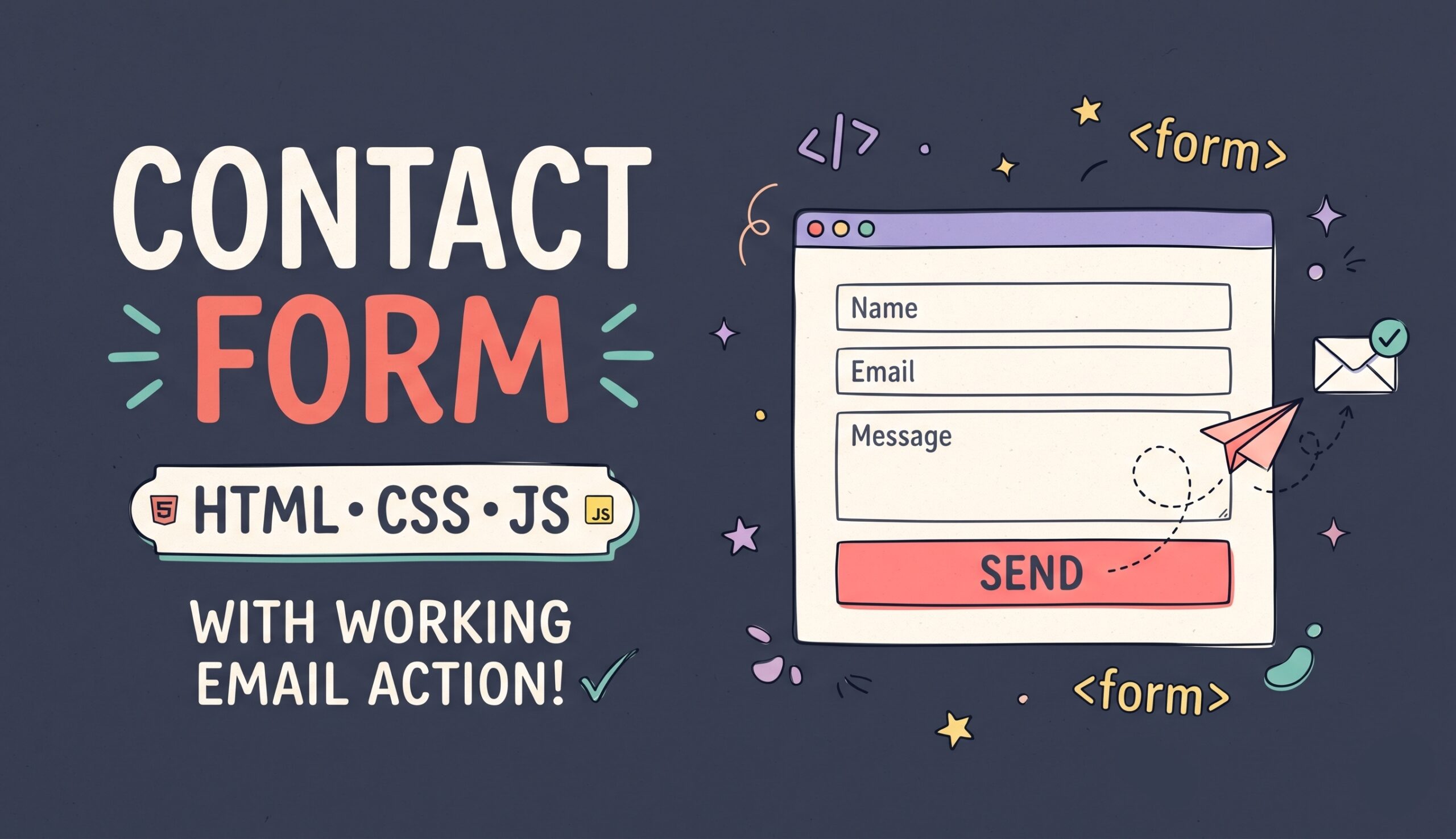
Here is a complete, production-ready, dependency-free Contact Form Project built with pure HTML5, modern CSS3 (using CSS variables for easy theming), and vanilla JavaScript.
For a clean project structure, create a folder with three files: index.html, style.css, and script.js.
1. HTML (index.html)
<!DOCTYPE html>
<html lang="en">
<head>
  <meta charset="UTF-8">
  <meta name="viewport" content="width=device-width, initial-scale=1.0">
  <title>Modern Responsive Contact Form</title>
  <link rel="stylesheet" href="style.css">
</head>
<body>

  <main class="contact-wrapper">
    <section class="contact-card">
      <!-- Form Header -->
      <div class="contact-header">
        <span class="badge">Get in Touch</span>
        <h1>Send Us a Message</h1>
        <p>Have a question, project idea, or feedback? Fill out the form below and we’ll get back to you within 24 hours.</p>
      </div>

      <!-- Status Alert Box (Hidden by default) -->
      <div id="formAlert" class="form-alert" role="alert" aria-live="polite" hidden></div>

      <!-- Contact Form -->
      <!-- Replace the action URL below with your backend script or form endpoint -->
      <form id="contactForm" action="https://api.web3forms.com/submit" method="POST" novalidate>

        <!-- Optional: Access Key for Serverless APIs (e.g., Web3Forms) -->
        <!-- <input type="hidden" name="access_key" value="YOUR_ACCESS_KEY_HERE"> -->

        <!-- Anti-Spam Honeypot Field (Invisible to real users) -->
        <div class="hp-field" aria-hidden="true">
          <label for="bot_check">Do not fill this out if you are human:</label>
          <input type="text" id="bot_check" name="bot_check" tabindex="-1" autocomplete="off">
        </div>

        <div class="form-row">
          <!-- Full Name -->
          <div class="form-group">
            <label for="fullName">Full Name <span class="required">*</span></label>
            <input
              type="text"
              id="fullName"
              name="full_name"
              placeholder="e.g., Alex Morgan"
              required
              minlength="2"
              autocomplete="name"
            >
            <small class="error-msg" id="fullNameError"></small>
          </div>

          <!-- Email Address -->
          <div class="form-group">
            <label for="email">Email Address <span class="required">*</span></label>
            <input
              type="email"
              id="email"
              name="email"
              placeholder="alex@example.com"
              required
              autocomplete="email"
            >
            <small class="error-msg" id="emailError"></small>
          </div>
        </div>

        <div class="form-row">
          <!-- Phone Number (Optional) -->
          <div class="form-group">
            <label for="phone">Phone Number <span class="optional">(Optional)</span></label>
            <input
              type="tel"
              id="phone"
              name="phone"
              placeholder="+1 (555) 000-0000"
              autocomplete="tel"
            >
            <small class="error-msg" id="phoneError"></small>
          </div>

          <!-- Subject / Department -->
          <div class="form-group">
            <label for="subject">Subject <span class="required">*</span></label>
            <select id="subject" name="subject" required>
              <option value="" disabled selected>Select a topic...</option>
              <option value="General Inquiry">General Inquiry</option>
              <option value="Project Proposal">Project Proposal</option>
              <option value="Technical Support">Technical Support</option>
              <option value="Feedback / Bug Report">Feedback / Bug Report</option>
            </select>
            <small class="error-msg" id="subjectError"></small>
          </div>
        </div>

        <!-- Message Body -->
        <div class="form-group">
          <div class="label-row">
            <label for="message">Your Message <span class="required">*</span></label>
            <span id="charCount" class="char-count">0 / 500</span>
          </div>
          <textarea
            id="message"
            name="message"
            rows="5"
            placeholder="Write your details here..."
            required
            minlength="10"
            maxlength="500"
          ></textarea>
          <small class="error-msg" id="messageError"></small>
        </div>

        <!-- Consent Checkbox -->
        <div class="form-group checkbox-group">
          <label class="checkbox-label">
            <input type="checkbox" id="consent" name="consent" required>
            <span>I agree to have my submitted information stored so my inquiry can be answered. <span class="required">*</span></span>
          </label>
          <small class="error-msg" id="consentError"></small>
        </div>

        <!-- Submit Button -->
        <button type="submit" id="submitBtn" class="submit-btn">
          <span class="btn-text">Send Message</span>
          <span class="btn-loader" hidden></span>
        </button>

      </form>
    </section>
  </main>

  <script src="script.js"></script>
</body>
</html>
2. CSS (style.css)
/* ==========================================================================
   CSS Variables (Easy Customization)
   ========================================================================== */
:root {
  --primary-color: #4f46e5;
  --primary-hover: #4338ca;
  --primary-focus-ring: rgba(79, 70, 229, 0.2);
  --bg-gradient: linear-gradient(135deg, #f8fafc 0%, #e2e8f0 100%);
  --card-bg: #ffffff;
  --text-main: #0f172a;
  --text-muted: #64748b;
  --border-color: #cbd5e1;
  --input-bg: #f8fafc;
  --error-color: #ef4444;
  --error-bg: #fef2f2;
  --success-color: #10b981;
  --success-bg: #ecfdf5;
  --radius-md: 10px;
  --radius-lg: 16px;
  --shadow-lg: 0 20px 25px -5px rgba(15, 23, 42, 0.08), 0 8px 10px -6px rgba(15, 23, 42, 0.04);
  --transition: 0.2s cubic-bezier(0.4, 0, 0.2, 1);
}

/* ==========================================================================
   Base Reset & Layout
   ========================================================================== */
* {
  box-sizing: border-box;
  margin: 0;
  padding: 0;
}

body {
  font-family: system-ui, -apple-system, BlinkMacSystemFont, 'Segoe UI', Roboto, Oxygen, Ubuntu, Cantarell, sans-serif;
  background: var(--bg-gradient);
  color: var(--text-main);
  line-height: 1.6;
  min-height: 100vh;
  display: flex;
  align-items: center;
  justify-content: center;
  padding: 2rem 1rem;
}

.contact-wrapper {
  width: 100%;
  max-width: 680px;
}

.contact-card {
  background: var(--card-bg);
  border-radius: var(--radius-lg);
  box-shadow: var(--shadow-lg);
  padding: 2.5rem;
  border: 1px solid rgba(255, 255, 255, 0.7);
}

/* ==========================================================================
   Header Typography
   ========================================================================== */
.contact-header {
  margin-bottom: 2rem;
  text-align: center;
}

.badge {
  display: inline-block;
  background: rgba(79, 70, 229, 0.1);
  color: var(--primary-color);
  font-size: 0.75rem;
  font-weight: 700;
  text-transform: uppercase;
  letter-spacing: 0.06em;
  padding: 0.35rem 0.85rem;
  border-radius: 999px;
  margin-bottom: 0.75rem;
}

.contact-header h1 {
  font-size: 1.85rem;
  font-weight: 800;
  color: var(--text-main);
  margin-bottom: 0.5rem;
  letter-spacing: -0.02em;
}

.contact-header p {
  color: var(--text-muted);
  font-size: 0.95rem;
  max-width: 520px;
  margin: 0 auto;
}

/* ==========================================================================
   Form Grid & Fields
   ========================================================================== */
.form-row {
  display: grid;
  grid-template-columns: 1fr 1fr;
  gap: 1.25rem;
}

.form-group {
  margin-bottom: 1.25rem;
  display: flex;
  flex-direction: column;
}

.label-row {
  display: flex;
  justify-content: space-between;
  align-items: center;
}

label {
  font-size: 0.875rem;
  font-weight: 600;
  color: var(--text-main);
  margin-bottom: 0.45rem;
}

.required {
  color: var(--error-color);
}

.optional {
  color: var(--text-muted);
  font-weight: 400;
  font-size: 0.8rem;
}

.char-count {
  font-size: 0.75rem;
  color: var(--text-muted);
}

input[type="text"],
input[type="email"],
input[type="tel"],
select,
textarea {
  width: 100%;
  padding: 0.75rem 0.95rem;
  font-size: 0.95rem;
  font-family: inherit;
  color: var(--text-main);
  background-color: var(--input-bg);
  border: 1.5px solid var(--border-color);
  border-radius: var(--radius-md);
  transition: border-color var(--transition), box-shadow var(--transition), background-color var(--transition);
  outline: none;
}

textarea {
  resize: vertical;
  min-height: 120px;
}

input:focus,
select:focus,
textarea:focus {
  background-color: #ffffff;
  border-color: var(--primary-color);
  box-shadow: 0 0 0 4px var(--primary-focus-ring);
}

/* Invalid State */
input.input-error,
select.input-error,
textarea.input-error {
  border-color: var(--error-color);
  background-color: var(--error-bg);
}

.error-msg {
  color: var(--error-color);
  font-size: 0.78rem;
  margin-top: 0.35rem;
  min-height: 1.1em;
  display: none;
}

.error-msg.visible {
  display: block;
}

/* Honeypot (Hidden from humans) */
.hp-field {
  opacity: 0;
  position: absolute;
  top: 0;
  left: 0;
  height: 0;
  width: 0;
  z-index: -1;
  overflow: hidden;
}

/* Checkbox Styling */
.checkbox-group {
  margin-top: 0.25rem;
}

.checkbox-label {
  display: flex;
  align-items: flex-start;
  gap: 0.65rem;
  font-weight: 400;
  font-size: 0.875rem;
  color: var(--text-muted);
  cursor: pointer;
}

.checkbox-label input[type="checkbox"] {
  margin-top: 0.25rem;
  width: 17px;
  height: 17px;
  accent-color: var(--primary-color);
  cursor: pointer;
  flex-shrink: 0;
}

/* ==========================================================================
   Submit Button & Loader
   ========================================================================== */
.submit-btn {
  width: 100%;
  padding: 0.9rem 1.5rem;
  background-color: var(--primary-color);
  color: #ffffff;
  font-size: 1rem;
  font-weight: 600;
  border: none;
  border-radius: var(--radius-md);
  cursor: pointer;
  display: inline-flex;
  align-items: center;
  justify-content: center;
  gap: 0.6rem;
  transition: background-color var(--transition), transform var(--transition);
}

.submit-btn:hover:not(:disabled) {
  background-color: var(--primary-hover);
}

.submit-btn:active:not(:disabled) {
  transform: translateY(1px);
}

.submit-btn:disabled {
  opacity: 0.7;
  cursor: not-allowed;
}

.btn-loader {
  width: 18px;
  height: 18px;
  border: 2.5px solid rgba(255, 255, 255, 0.35);
  border-top-color: #ffffff;
  border-radius: 50%;
  animation: spin 0.75s linear infinite;
}

@keyframes spin {
  to { transform: rotate(360deg); }
}

/* ==========================================================================
   Alert Banner (Success / Error)
   ========================================================================== */
.form-alert {
  padding: 0.9rem 1.1rem;
  border-radius: var(--radius-md);
  font-size: 0.9rem;
  font-weight: 500;
  margin-bottom: 1.5rem;
  border: 1px solid transparent;
}

.form-alert.success {
  background-color: var(--success-bg);
  color: #065f46;
  border-color: #a7f3d0;
}

.form-alert.error {
  background-color: var(--error-bg);
  color: #991b1b;
  border-color: #fecaca;
}

/* ==========================================================================
   Responsive Design
   ========================================================================== */
@media (max-width: 600px) {
  .contact-card {
    padding: 1.5rem;
  }

  .form-row {
    grid-template-columns: 1fr;
    gap: 0;
  }

  .contact-header h1 {
    font-size: 1.5rem;
  }
}
3. JavaScript (script.js)
document.addEventListener('DOMContentLoaded', () => {
  const form = document.getElementById('contactForm');
  const submitBtn = document.getElementById('submitBtn');
  const btnText = submitBtn.querySelector('.btn-text');
  const btnLoader = submitBtn.querySelector('.btn-loader');
  const formAlert = document.getElementById('formAlert');
  const messageInput = document.getElementById('message');
  const charCount = document.getElementById('charCount');

  // 1. Live Character Counter for Textarea
  messageInput.addEventListener('input', () => {
    const currentLength = messageInput.value.length;
    const maxLength = messageInput.getAttribute('maxlength') || 500;
    charCount.textContent = `${currentLength} / ${maxLength}`;
    charCount.style.color = currentLength >= maxLength ? '#ef4444' : '#64748b';
  });

  // 2. Helper Functions for Field Errors
  const showError = (inputElement, errorId, message) => {
    const errorEl = document.getElementById(errorId);
    inputElement.classList.add('input-error');
    if (errorEl) {
      errorEl.textContent = message;
      errorEl.classList.add('visible');
    }
  };

  const clearError = (inputElement, errorId) => {
    const errorEl = document.getElementById(errorId);
    inputElement.classList.remove('input-error');
    if (errorEl) {
      errorEl.textContent = '';
      errorEl.classList.remove('visible');
    }
  };

  // Clear individual field error when user starts typing/changing
  const fields = [
    { id: 'fullName', err: 'fullNameError' },
    { id: 'email', err: 'emailError' },
    { id: 'phone', err: 'phoneError' },
    { id: 'subject', err: 'subjectError' },
    { id: 'message', err: 'messageError' },
    { id: 'consent', err: 'consentError' }
  ];

  fields.forEach(({ id, err }) => {
    const el = document.getElementById(id);
    if (el) {
      el.addEventListener('input', () => clearError(el, err));
      el.addEventListener('change', () => clearError(el, err));
    }
  });

  // 3. Client-Side Validation Logic
  const validateForm = () => {
    let isValid = true;

    const fullName = document.getElementById('fullName');
    const email = document.getElementById('email');
    const phone = document.getElementById('phone');
    const subject = document.getElementById('subject');
    const message = document.getElementById('message');
    const consent = document.getElementById('consent');

    // Name validation
    if (fullName.value.trim().length < 2) {
      showError(fullName, 'fullNameError', 'Please enter your full name (at least 2 characters).');
      isValid = false;
    }

    // Email validation
    const emailRegex = /^[^\s@]+@[^\s@]+\.[^\s@]+$/;
    if (!emailRegex.test(email.value.trim())) {
      showError(email, 'emailError', 'Please enter a valid email address.');
      isValid = false;
    }

    // Optional Phone validation (only validates if user typed something)
    const phoneVal = phone.value.trim();
    const phoneRegex = /^[+]?[(]?[0-9]{1,4}[)]?[-\s./0-9]{6,15}$/;
    if (phoneVal !== '' && !phoneRegex.test(phoneVal)) {
      showError(phone, 'phoneError', 'Please enter a valid phone number.');
      isValid = false;
    }

    // Subject validation
    if (!subject.value) {
      showError(subject, 'subjectError', 'Please select a topic from the list.');
      isValid = false;
    }

    // Message validation
    if (message.value.trim().length < 10) {
      showError(message, 'messageError', 'Please write a message of at least 10 characters.');
      isValid = false;
    }

    // Consent validation
    if (!consent.checked) {
      showError(consent, 'consentError', 'You must agree before sending your message.');
      isValid = false;
    }

    return isValid;
  };

  // 4. Display Status Banner
  const showBanner = (type, text) => {
    formAlert.className = `form-alert ${type}`;
    formAlert.textContent = text;
    formAlert.hidden = false;
    formAlert.scrollIntoView({ behavior: 'smooth', block: 'nearest' });
  };

  // 5. Handle Form Submission via Fetch API
  form.addEventListener('submit', async (e) => {
    e.preventDefault();
    formAlert.hidden = true;

    // Anti-spam honeypot check
    const botCheck = document.getElementById('bot_check');
    if (botCheck && botCheck.value !== '') {
      // Silently abort if a bot filled out the hidden field
      return;
    }

    if (!validateForm()) {
      return;
    }

    // Activate loading state
    submitBtn.disabled = true;
    btnText.textContent = 'Sending...';
    btnLoader.hidden = false;

    const formData = new FormData(form);
    const actionUrl = form.getAttribute('action');

    try {
      const response = await fetch(actionUrl, {
        method: form.getAttribute('method') || 'POST',
        body: formData,
        headers: {
          'Accept': 'application/json'
        }
      });

      const result = await response.json().catch(() => ({}));

      if (response.ok) {
        showBanner('success', result.message || 'Thank you! Your message has been sent successfully.');
        form.reset();
        charCount.textContent = '0 / 500';
      } else {
        showBanner('error', result.message || 'Oops! Something went wrong while submitting the form. Please try again.');
      }
    } catch (error) {
      showBanner('error', 'Network error: Unable to reach the server. Please check your connection or action URL.');
    } finally {
      // Restore button state
      submitBtn.disabled = false;
      btnText.textContent = 'Send Message';
      btnLoader.hidden = true;
    }
  });
});
Building and Connecting a Modern HTML, CSS & JS Contact Form
Every website needs a reliable communication bridge between visitors and site owners. While simply pasting an email address onto a webpage might seem easy, doing so exposes your inbox to automated scrapers and gives visitors no structured way to explain what they need.
A well-crafted contact form solves both problems—it protects your email address while collecting organized, actionable inquiries. However, many developers and site builders hit a roadblock right after designing their form: HTML alone cannot send emails. To make a form actually deliver messages to your inbox, you need to configure its action attribute and connect it to a form handler.
In this complete guide, we will walk through how our free, open-source Contact Form works under the hood, how to customize its appearance in seconds, and three practical methods for wiring up the action endpoint so you can start receiving real submissions today.
Why This Contact Form Stands Out
Before connecting the backend, let’s look at what makes this template ready for real-world production:
- Zero External Dependencies: Built with pure HTML5, vanilla CSS3, and native ES6 JavaScript. You don’t need jQuery, Bootstrap, or bulky third-party libraries that slow down page load speeds.
- Real-Time Client-Side Validation: Instead of relying on generic browser popups, the script validates names, email formatting, phone numbers, and minimum message lengths cleanly, clearing error indicators automatically the moment the user corrects their input.
- Invisible Honeypot Spam Protection: Nobody enjoys solving blurry image puzzles just to ask a question. This form includes a hidden
.hp-fieldinput (bot_check). Because human visitors cannot see the field, they leave it blank. Automated spam bots, however, blindly fill out every input tag they find in the HTML—allowing both our JavaScript and backend scripts to silently drop spam without bothering real users. - Asynchronous Fetch Submission (AJAX): Visitors never get redirected to an ugly “Thank You” page on another domain. The form submits smoothly in the background with a loading spinner and displays an instant status banner right above the fields.
Understanding the HTML <form> action and method Attributes
At the core of every HTML form is the opening <form> tag:
<form id="contactForm" action="YOUR_ENDPOINT_URL" method="POST" novalidate>
action: Tells the browser where to send the user’s data when they click the Submit button. This can be a URL provided by a third-party email service or the path to your own server-side script (such assend-mail.php).method="POST": Specifies how the data is transmitted. UnlikeGET(which attaches form data openly to the page URL),POSTpackages the form fields securely inside the HTTP request body.novalidate: Disables the browser’s default validation tooltips so our custom JavaScript validation can handle error messages with a unified design.
Because our script.js intercepts the submission using e.preventDefault() and reads form.getAttribute('action') automatically, you only need to change the action attribute inside index.html to switch backends!
How to Add an Action to This Form (3 Proven Methods)
Depending on where your website is hosted, choose one of the three methods below to activate your form.
Method 1: Using a Serverless Form API (Best for Static Sites, GitHub Pages, Netlify, or Quick Setup)
If your website consists purely of HTML, CSS, and JS files and you don’t want to write or maintain backend server code, a serverless form endpoint is the fastest solution. Services like Web3Forms or Formspree accept your POST request and forward the message directly to your email inbox.
Step-by-Step with Web3Forms (Free):
- Visit web3forms.com and enter your email address to receive a free Access Key in your inbox.
- Open
index.htmland make sure your<form>action is set to:<form id=”contactForm” action=”https://api.web3forms.com/submit” method=”POST” novalidate> - Directly inside the
<form>tag, uncomment the hiddenaccess_keyinput and paste your key:<input type=”hidden” name=”access_key” value=”PASTE_YOUR_ACCESS_KEY_HERE”> - Save your file and test the form. Your messages will arrive directly in your email inbox!
Step-by-Step with Formspree:
- Create a new form on formspree.io and copy your unique endpoint URL (e.g.,
[https://formspree.io/f/xyzabcde](https://formspree.io/f/xyzabcde)). - Replace the
actionattribute inindex.htmlwith that URL:<form id=”contactForm” action=”https://formspree.io/f/xyzabcde” method=”POST” novalidate>
No extra hidden fields are needed for Formspree—our JavaScript fetch() request already includes the 'Accept': 'application/json' header that Formspree requires for seamless AJAX responses.
Method 2: Using a Custom PHP Script (Best for cPanel, DirectAdmin, or Shared Hosting)
If you host your site on traditional web hosting (such as Apache/LiteSpeed with cPanel or DirectAdmin), you already have PHP installed. Running your own script gives you 100% control over your data with zero third-party limits.
Step 1: Update the action Attribute in index.html
Point the form’s action to a local PHP file named send-mail.php:
<form id="contactForm" action="send-mail.php" method="POST" novalidate>
Step 2: Create send-mail.php in the Same Folder
Create a new file called send-mail.php next to index.html and paste the following secure, production-ready PHP script:
<?php
// Return JSON responses for our JavaScript Fetch API
header('Content-Type: application/json; charset=utf-8');

// Only allow POST requests
if ($_SERVER['REQUEST_METHOD'] !== 'POST') {
    http_response_code(405);
    echo json_encode(['message' => 'Method not allowed.']);
    exit;
}

// 1. Check Honeypot Anti-Spam Field
if (!empty($_POST['bot_check'])) {
    // Pretend it succeeded so bots don't adapt, but send no email
    http_response_code(200);
    echo json_encode(['message' => 'Message sent successfully.']);
    exit;
}

// 2. Sanitize and Validate Inputs
$fullName = trim(strip_tags($_POST['full_name'] ?? ''));
$email    = filter_var(trim($_POST['email'] ?? ''), FILTER_SANITIZE_EMAIL);
$phone    = trim(strip_tags($_POST['phone'] ?? 'Not provided'));
$subject  = trim(strip_tags($_POST['subject'] ?? 'New Contact Form Inquiry'));
$message  = trim(strip_tags($_POST['message'] ?? ''));
$consent  = isset($_POST['consent']);

if (strlen($fullName) < 2 || !filter_var($email, FILTER_VALIDATE_EMAIL) || strlen($message) < 10 || !$consent) {
    http_response_code(400);
    echo json_encode(['message' => 'Please fill in all required fields accurately.']);
    exit;
}

// Prevent Email Header Injection
if (preg_match("/[\r\n]/", $fullName) || preg_match("/[\r\n]/", $email)) {
    http_response_code(400);
    echo json_encode(['message' => 'Invalid input detected.']);
    exit;
}

// 3. Configure Email Settings
$recipient = "hello@yourdomain.com"; // <-- CHANGE THIS TO YOUR EMAIL
$fromEmail = "noreply@yourdomain.com"; // <-- USE AN EMAIL ON YOUR OWN DOMAIN
$emailSubject = "[Website Contact] $subject - from $fullName";

// Build Email Body
$emailBody  = "You have received a new message from your website contact form.\n\n";
$emailBody .= "--------------------------------------------------\n";
$emailBody .= "Name:    $fullName\n";
$emailBody .= "Email:   $email\n";
$emailBody .= "Phone:   " . ($phone ?: 'Not provided') . "\n";
$emailBody .= "Topic:   $subject\n";
$emailBody .= "--------------------------------------------------\n\n";
$emailBody .= "Message:\n$message\n";

// Set Email Headers
$headers  = "From: Website Contact <$fromEmail>\r\n";
$headers .= "Reply-To: $fullName <$email>\r\n";
$headers .= "X-Mailer: PHP/" . phpversion();

// 4. Send the Email
if (mail($recipient, $emailSubject, $emailBody, $headers)) {
    http_response_code(200);
    echo json_encode(['message' => 'Thank you! Your message has been delivered.']);
} else {
    http_response_code(500);
    echo json_encode(['message' => 'Server error: Could not send email at this time.']);
}
Pro Tip for Shared Hosting: Notice how
$fromEmailusesnoreply@yourdomain.comwhile the visitor’s email is placed inside theReply-To:header. Many mail servers block emails if you try to spoof the visitor’s Gmail or Yahoo address in theFrom:header. Using an address from your own domain ensures high deliverability while still letting you click “Reply” in your mail client to answer the visitor directly.
Method 3: Collecting Submissions in Google Sheets (Webhook / No-Code Option)
If you want to log every inquiry into a spreadsheet alongside email notifications, you can deploy a Google Apps Script Web App:
- Open a new Google Sheet, click Extensions > Apps Script, and create a
doPost(e)function that appendse.parameter.full_name,e.parameter.email,e.parameter.subject, ande.parameter.messageas a new row, returning a JSON response. - Click Deploy > New Deployment, select Web App, set “Who has access” to Anyone, and copy the generated Web App URL.
- Paste that Web App URL into the
action=""attribute ofindex.html.
How to Customize the Form for Your Brand
1. Changing Colors and Corners
Open style.css and look at the :root block at the very top of the file. Because all colors, shadows, and border radii are controlled by CSS Custom Properties, you can re-theme the entire component in seconds:
:root {
  --primary-color: #0d9488; /* Change from Indigo to Teal */
  --primary-hover: #0f766e;
  --primary-focus-ring: rgba(13, 148, 136, 0.2);
  --radius-md: 6px;         /* Make inputs sharper or rounder */
}
2. Adding a New Input Field
Every input follows a predictable structure inside index.html. To add a new field (for example, a “Company Name” input), insert this block inside the <form>:
<div class="form-group">
  <label for="company">Company Name <span class="optional">(Optional)</span></label>
  <input type="text" id="company" name="company" placeholder="Your Company Ltd.">
</div>
Because new FormData(form) in script.js automatically collects every input that has a name attribute, your new field will be sent to your backend immediately without needing any extra JavaScript!
Troubleshooting Common Issues
- “Network error: Unable to reach the server” when testing locally: If you double-click
index.htmldirectly from your computer (file://protocol), browsers often blockfetch()requests or PHP execution due to security rules. Always test using a local development server (such as the Live Server extension in VS Code, orphp -S localhost:8000if testing the PHP backend). - HTTP 405 (Method Not Allowed): This happens if you point
action="send-mail.php"on a static server (like VS Code Live Server or GitHub Pages) that does not process PHP. Static hosts only serve raw files and rejectPOSTrequests to static paths. Use Method 1 on static hosts, or test PHP on an environment like XAMPP, Laragon, or your live cPanel server. - Emails are landing in the Spam folder: If using the PHP method, ensure your domain has valid SPF and DKIM DNS records enabled inside your hosting control panel (under Email Deliverability in cPanel), and verify that
$fromEmailmatches an existing domain on your server.